

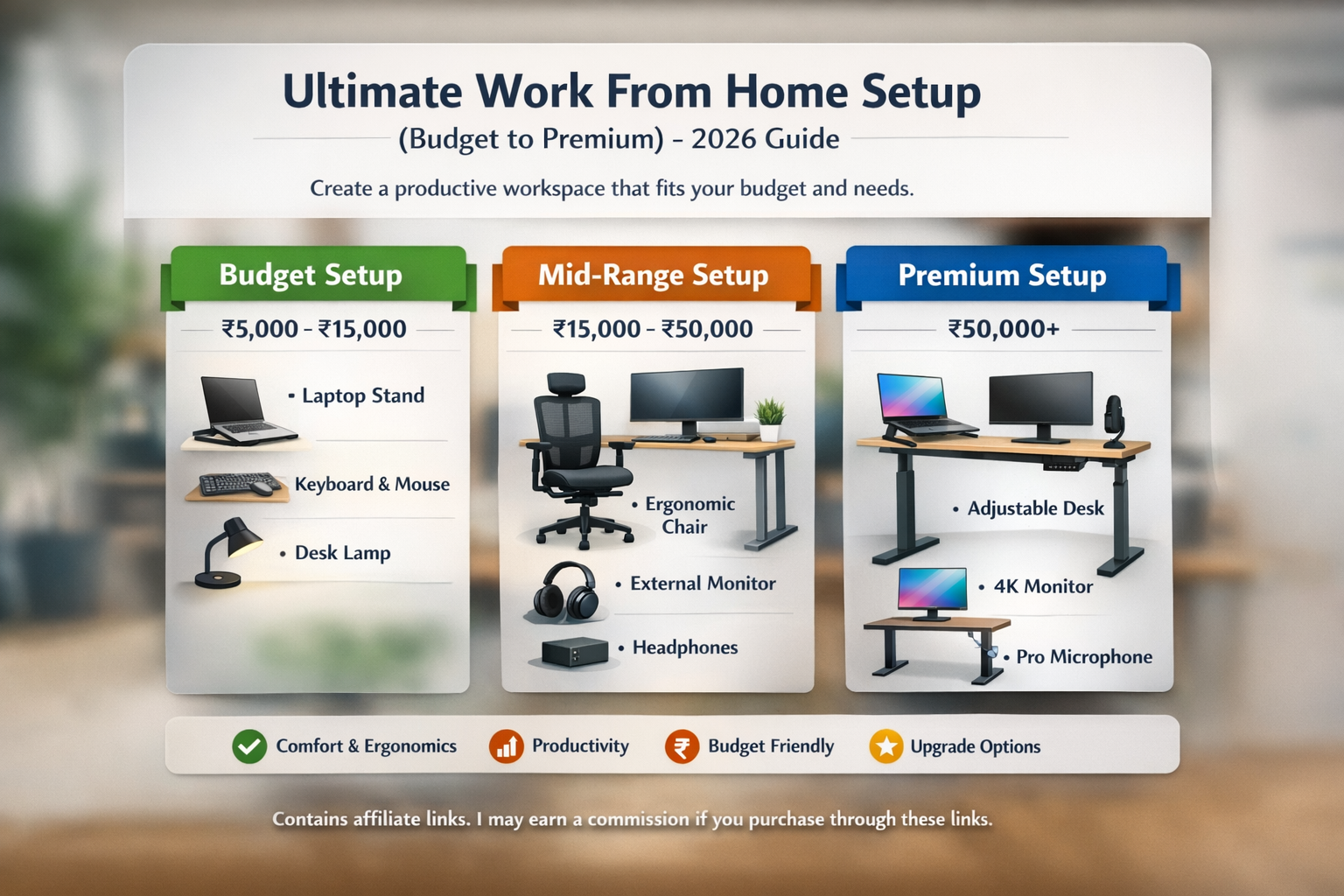
Remote work continues to grow across many industries. A well-designed home workspace can significantly improve comfort, organization, and productivity during daily tasks.
Whether you are a student attending online classes, a freelancer working with clients, or a professional employed by a remote-first company, your environment plays an important role in how efficiently you work.
A thoughtful workspace setup can reduce distractions, improve posture, and make long working hours more manageable.
This guide explains essential work-from-home equipment across different budget ranges. Product suggestions are included for convenience and research purposes to help readers understand what options are available in the market.
Budget Work From ome Setup (₹5,000 – ₹15,000)
This setup is best suited for students, freelancers, or professionals who are just starting remote work and want to create a basic but functional workspace.
Even with a limited budget, a few carefully chosen accessories can make a noticeable difference in comfort and productivity.
1. Adjustable Standing Desk
Working directly on a laptop placed on a desk often forces users to look downward for long periods, which can cause neck strain and poor posture.
A laptop stand raises the screen closer to eye level, allowing you to maintain a more natural sitting position.
Many adjustable stands are lightweight and portable, making them easy to carry between home and office environments.
Recommended options from brands like AmazonBasics and Portronics offer simple adjustable designs that support most laptop sizes.
Check price on Amazon:
A laptop stand helps elevate your screen to eye level, reducing neck strain and improving posture.
2. Keyboard and Mouse Combo
Using a laptop keyboard for long hours can be uncomfortable, especially when the screen is elevated on a stand.
An external keyboard and mouse allow you to maintain proper hand positioning and improve typing comfort.
Wireless keyboard and mouse combinations are convenient because they reduce cable clutter on the desk.
Brands like Logitech offer reliable wireless combinations suitable for daily use.Enhances productivity for roles requiring multiple applications open simultaneously.
Check availability on Amazon:
Using a separate keyboard and mouse creates a more ergonomic setup and enhances typing comfort.
3. Desk Lamp
Lighting plays an important role in maintaining focus and preventing eye strain.
Poor lighting can lead to headaches and fatigue, particularly during evening work sessions.
LED desk lamps with adjustable brightness levels help provide focused lighting for reading documents or working on a computer.
View options on Amazon:
Proper lighting reduces eye strain, especially during extended work sessions.
A basic setup can significantly improve your daily workflow without large investment.
Budget Setup (₹5,000 – ₹15,000)
| Component | Budget |
|---|---|
| Laptop stand | ₹1,000 |
| Keyboard + Mouse | ₹1,500 |
| Basic chair | ₹4,000 |
| Desk lamp | ₹1,000 |
| Headphones | ₹2,000 |
| Webcam | ₹2,500 |
Total: ₹12,000 approx
A basic setup like this can significantly improve your daily workflow without requiring a large investment.
Mid-Range Work From Home Setup (₹15,000 – ₹50,000)
A mid-range workspace is ideal for professionals who work remotely full time and need improved comfort and productivity.
This level typically focuses on ergonomic furniture and better display equipment.
1. . Ergonomic Chair
A comfortable chair is one of the most important investments for long working hours.
Ergonomic chairs are designed to support natural posture and reduce pressure on the spine.
Important features to consider include:
- Adjustable seat height
- Lumbar support
- Armrest adjustments
- Breathable backrest material
Brands like Green Soul and Wakefit offer ergonomic seating solutions commonly used in home offices.
View options on Amazon:
A supportive chair is essential for long working hours. Look for adjustable lumbar support and proper seat height control.
2. External Monitor
An external monitor provides additional screen space and improves multitasking.
Many professionals find that a second screen helps manage multiple applications such as documents, spreadsheets, and video calls.
Popular choices include monitors from LG and Samsung.
Check Monitor on Amazon:
An additional monitor improves multitasking and helps organize workflow efficiently.
3. Headphones with Microphone
Headphones with an integrated microphone are essential for video calls and online meetings.
They help reduce background noise and provide clearer audio communication.
Brands like Sony and JBL offer reliable models suitable for professional use.
View Headphone on Amazon:
Helpful for online meetings and maintaining focus in shared living spaces.
This range balances comfort, performance, and affordability.
Mid-Range Setup Budget (₹15,000 – ₹50,000)
| Component | Budget |
|---|---|
| Ergonomic chair | ₹12,000 |
| External monitor | ₹15,000 |
| Keyboard + Mouse | ₹5,000 |
| Noise-canceling headphones | ₹8,000 |
| Webcam | ₹4,000 |
| Lighting + accessories | ₹3,000 |
Total: ₹47,000 approx
This setup provides a good balance between comfort, functionality, and affordability.
Premium Work From Home Setup (₹50,000+)
A premium setup is ideal for professionals, creators, consultants, or business owners who spend many hours working from home.
These setups prioritize flexibility, long-term comfort, and high-performance equipment.
1. Adjustable Desk
Height-adjustable desks allow users to switch between sitting and standing positions throughout the day.
Alternating between sitting and standing can improve circulation and reduce fatigue.
Brands such as Flexispot offer motorized adjustable desks designed for home office environments.
View product details:
2. Professional Microphone
For professionals who frequently participate in video meetings, podcasts, webinars, or recordings, a dedicated microphone can improve audio quality.
Options from Blue and HyperX are widely used for online communication and content creation.
Check Great Deals:
3. Premium Laptop (₹50,000+)
A powerful laptop ensures smooth multitasking, faster performance, and reliable operation during remote work.
Professionals often choose laptops from Apple, Dell, or Lenovo because of their strong performance and durability.
View options on Amazon:
Premium Setup Budge Component
| Component | Budget |
|---|---|
| Chair | ₹45,000 |
| Monitor | ₹25,000 |
| Standing desk | ₹30,000 |
| Webcam | ₹10,000 |
| Keyboard + Mouse | ₹12,000 |
| Audio setup | ₹15,000 |
| Lighting + accessories | ₹8,000 |
Total: ₹1,45,000 approx
Advanced Productivity Add-Ons
Professional upgrades include:
- Monitor arm (improves ergonomics) – https://amzn.to/3ON1j7p
- Footrest – https://amzn.to/4tDNgkE
- Cable management tray – https://amzn.to/4rGs0JT
- Docking station – https://amzn.to/4tHxoO8
- External SSD – https://amzn.to/46Iej4o
- Desk mat – https://amzn.to/3MP47jV
Monitor arms allow flexible positioning and improve comfort and productivity.
How to Choose the Right Setup
Consider:
- Nature of your work
- Daily working hours
- Available space
- Long-term comfort needs
- Budget flexibility
Upgrading gradually is often more practical than investing heavily at once.
Final Thoughts
A functional home workspace does not require excessive spending. Even simple improvements—such as better lighting or an ergonomic chair—can positively impact comfort and efficiency.
Focus on building a setup that supports your health, enhances productivity, and aligns with your professional goals.
Affiliate Disclaimer
This article contains affiliate links. If you purchase through these links, we may earn a small commission at no additional cost to you. This helps support our content and recommendations.
About the Author
About the Author
Ashish Kumar Bhowmick is the founder of AshimHub, a platform dedicated to exploring technology, AI tools, gadgets, and emerging digital trends. With a strong passion for simplifying complex technologies, he creates practical guides, product comparisons, and tutorials that help readers make smarter technology decisions.
Alongside his work in technology content, Ashish has professional experience in talent acquisition and recruitment coaching. He has supported organizations and professionals in improving hiring strategies, building stronger recruitment processes, and developing career growth pathways in competitive job markets.
Through AshimHub, Ashish combines technology insights with professional expertise, delivering valuable content that empowers both tech enthusiasts and career-focused readers. His mission is to make technology and professional development more accessible, practical, and easy to understand for everyday users.
Connect with him on LinkedIn:
https://www.linkedin.com/in/ashish-bhowmick-42961311/